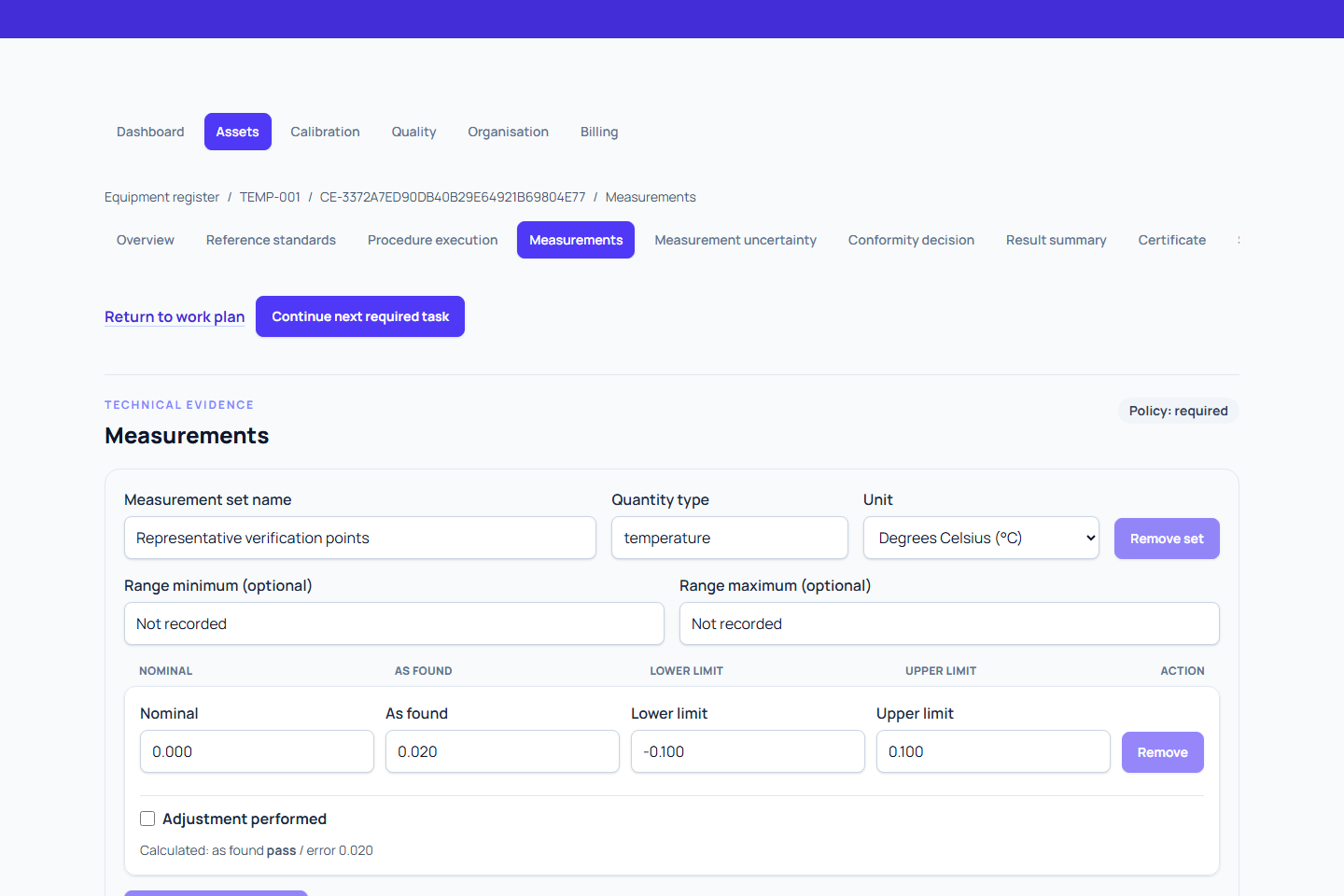
Structured measurements provide the base evidence for uncertainty calculations and conformity decisions.
Record measurements
The workspace shows the instrument range and resolution frozen when this work was created, where recorded. Controlled measurement step proposals lets permitted performers review the exact procedure's nominal values, units and absolute reading limits, then explicitly add the selected step's draft points. This copies configuration only: enter the actual reference and device observations, save the evidence and complete the normal procedure checks. The backend checks compatibility and conformity; the form does not turn a planned point into a measured reading.
- Select reference standards first when the requirement or procedure needs them.
- Open Measurements from the calibration hub or procedure step.
- Add each measurement set and its stage, quantity, unit, conditions, and observations.
- Record every point, reference value, indicated value, error, tolerance, and result information required by the procedure.
- Save the evidence revision.
Every save creates a new fixed measurement revision. Earlier revisions stay in history for audit review.
Read-only summaries use unit symbols and retain recorded measurement precision. Calculated and uncertainty summaries remove redundant decimal padding; a very small nonzero result remains visible. Entered and saved evidence retains its exact structured value. Member names identify recorded work where available, with technical record references available in secondary details. Use those references when tracing a specific revision.
Expand Accreditation work context and conditions when a restricted scope needs actual work evidence. Record the instrument type, method, medium and pressure reference as applicable, and select the Site where work was performed by name. An unavailable recorded site is retained while you retry the site lookup. This records the actual calibration context; it does not move the equipment. Use the same Measurement work group reference for paired measurement sets from the same physical work run, such as chamber-run-1 for humidity and temperature outputs. Choose an existing group or enter a new reference; the site and other context must also match. This reference does not identify an accreditation scope. Explain how restrictions were met. Missing context cannot establish an accredited claim.
Calculated uncertainty cannot proceed without a current saved measurement revision. If measurements change later, uncertainty, conformity, or procedure evidence that relied on the previous revision may become stale. The work plan identifies the recovery action.
Enter readings for devices in a group
For devices using the same approved, group-enabled revision, follow Calibrate a group of devices. Record the actual shared reference observation at each approved point, then enter each device's own indication and observation time in Device readings. Each device keeps separate measurement evidence and readiness.
The Measurement work group field described above groups related measurement sets from a physical run. Entering the same text there does not create a group calibration session or share procedure evidence between devices.
Use Individual readings for repeated observations or detailed evidence, and return to the same device and approved point. If a save or submission is interrupted, follow Resume and troubleshoot a group calibration.
Continue the workflow
After saving, return to the originating procedure step or choose Continue next required task. The usual next task is uncertainty calculation, followed by conformity evaluation.
For a verification or functional check, the lighter form records the same versioned evidence with activity-specific labels. Choose the check standard through Reference standards, then record nominal value, reading and absolute reading limits. Metra calculates error separately from the reference value, or the nominal value when no reference reading is recorded. Review the saved backend outcome before submission. See Record verification.