Compare retained revisions
Open Revision history and changes. The changed-fields table compares the exact saved revision with its preceding retained revision, including scope, certificate method, evidence controls, step instructions, configuration and execution scope. Follow an earlier revision link to inspect its retained read-only record. Unsaved draft entries are excluded; save before submission.
Procedure scope and certificate method description must be present before submission. Incomplete drafts can still be saved. Approval remains independent of authors and contributors, including another membership belonging to the same underlying user. Approval activates the parent procedure through the normal controlled transition.
Only approved, currently effective revisions on an active procedure can be assigned to new requirements and calibration work.
Submit a review-ready revision
- Open the procedure and inspect its code, revision, purpose, scope and change summary.
- Review every ordered step, required response and permitted not-applicable choice.
- Confirm measurement points, units, reference-standard needs and evidence requirements are appropriate.
- Resolve every blocking item in the Pre-review checklist.
- Save the draft and select Submit for review.
Complete the independent hand-off
After submission, the workspace shows Awaiting independent review. It explains who can act and why the current user may be unable to approve:
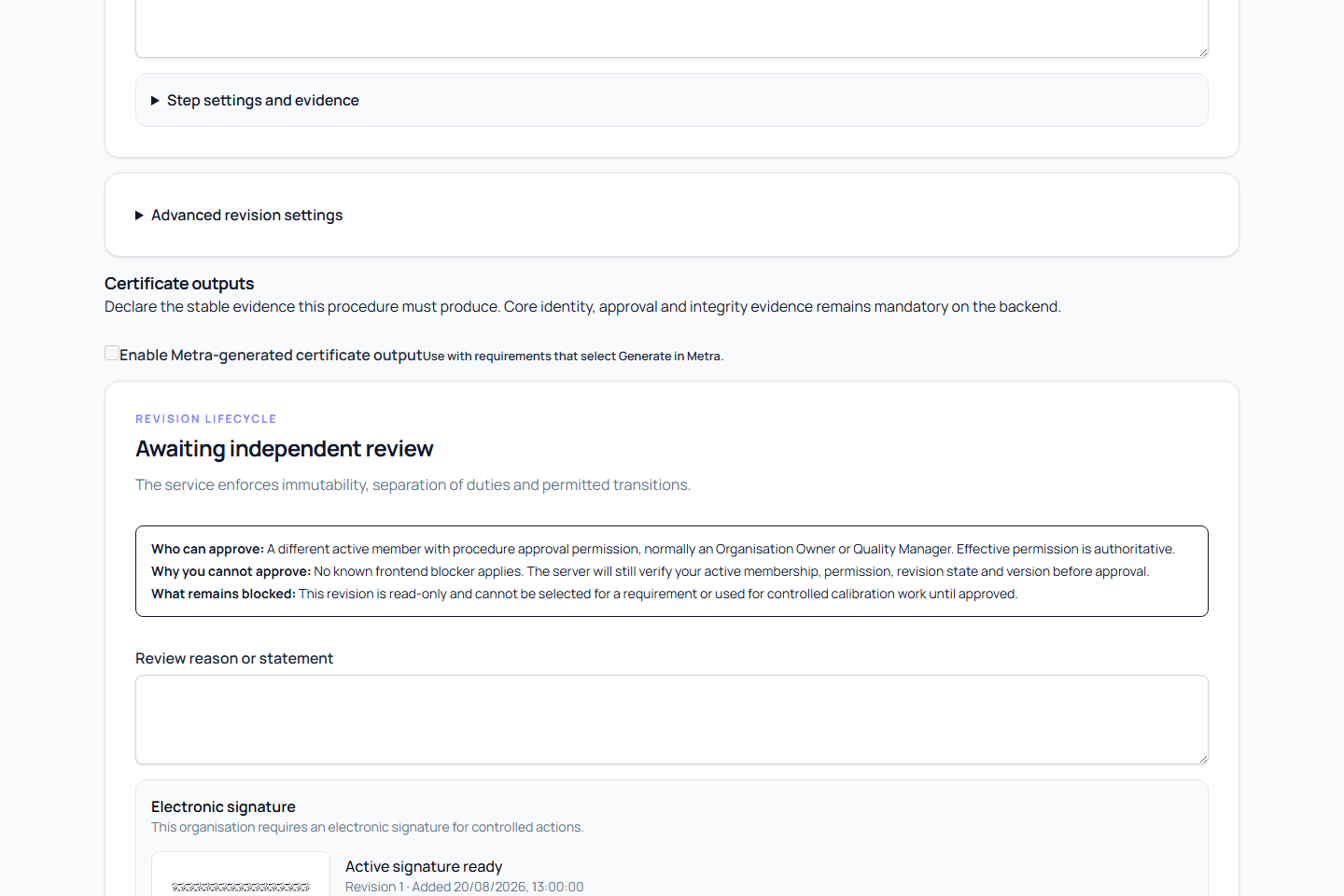
- Procedure approval requires an active member with
calibration-procedure:approve; Organisation Owners and Quality Managers normally hold it. - The revision author cannot approve their own revision, even when their role otherwise permits approval.
- A member without the effective approval permission cannot approve or reject it.
- A revision outside
in_reviewcannot receive an approval decision.
While review is pending, the revision cannot be edited, assigned to a new requirement, or used to start new calibration work. The reviewer either approves it or rejects it with a reason so the author can correct a new draft revision.
The author cannot approve their own revision. An approved revision is fixed and has a content hash. Rejection and withdrawal retain history and require a reason.
The review form has one Independent review statement field for the selected decision. Check the named author and submitter, exact revision and changed fields before recording that statement. Secondary record references support tracing the evidence; they do not replace the independent review.
Review a group-enabled method
When Allow group execution is enabled, inspect each step's Shared or Per-device scope in the ordered procedure. Confirm that shared work truly applies to every participating device and that inspections, measurements, adjustments, calculations, conformity decisions and certificates remain individual.
For grouped comparison points, check that every shared stabilisation has one later per-device measurement with the same point key and exactly one nominal value. Confirm the units, required setup and sequence, including the device work that must finish before the next shared operation. Review all ordinary reference-standard, uncertainty, decision-rule and output controls as well. Use Prepare a procedure for multiple devices for the configuration checklist.
Approving the method makes that exact revision available when otherwise eligible. It does not start a group, migrate requirements or approve any device's results.
The first approved revision activates a draft parent procedure in the same controlled operation. Metra refreshes the parent status after approval before showing where the revision can be used. If the approval was saved but that refresh fails, reload the procedure to verify its state; do not submit the approval again. A future effective date or another valid control can still prevent immediate use.
Use the approved revision
When the revision is approved, active, effective, and unexpired, select Use this revision in a requirement. Choose the equipment and create or update its requirement with the recognizable procedure code and revision.
A future-effective revision remains unavailable until its effective date. An expired revision or a revision on a non-active procedure cannot be newly assigned. Approval never silently moves existing requirements to the new revision; update each affected requirement deliberately after impact review.