Owners and administrators can invite people from Organisation > Members. A pending invitation is not a membership and grants no access.
Send an invitation
- Enter the person's work email address.
- Choose their role.
- Select Invite member.
The user receives the same invitation flow whether or not they already have a Metra account. The person has seven days to accept and must verify their email first.
Monitor delivery and status
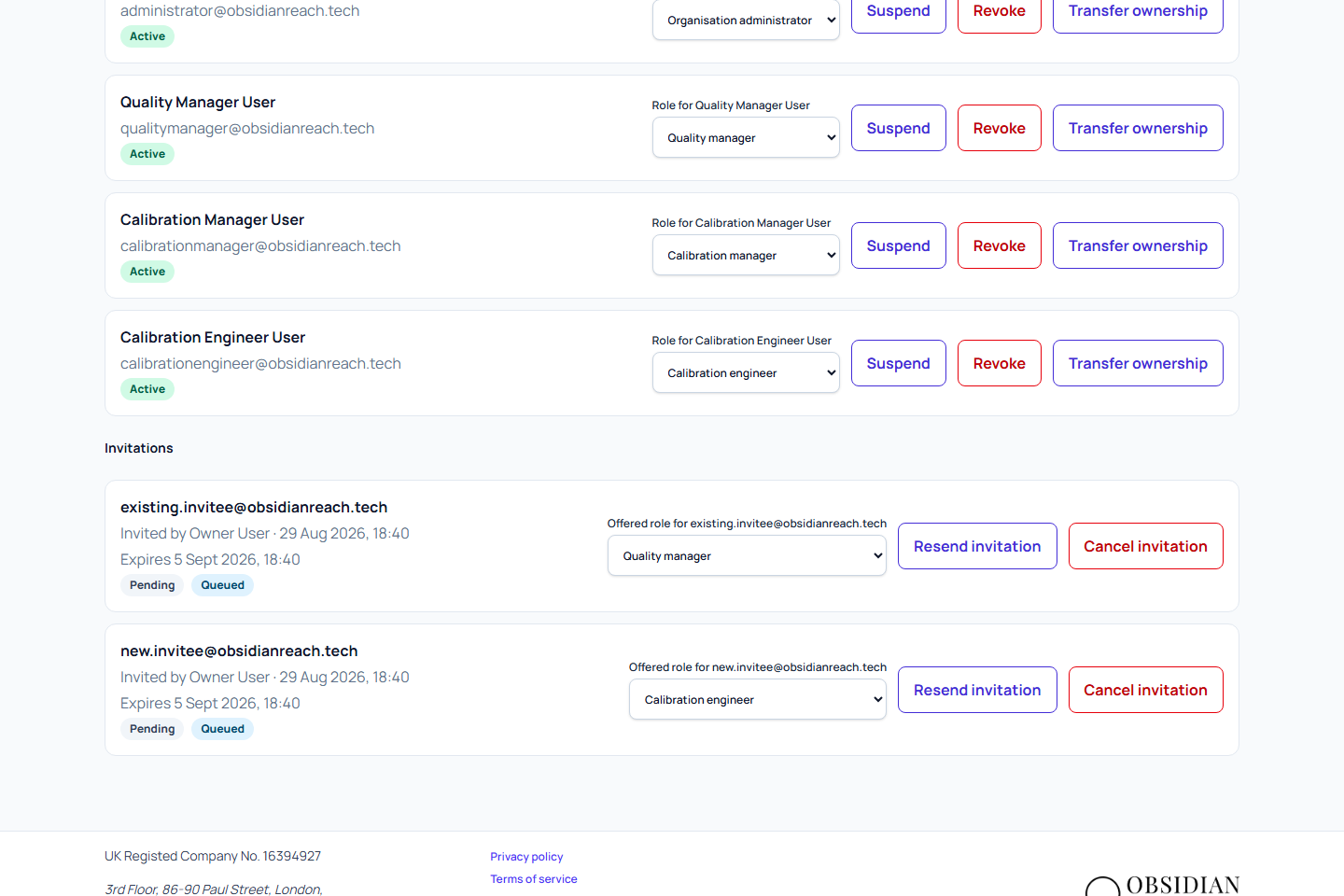
The invitation list shows:
- Invited email and role.
- Who sent the invite and when.
- Expiry time.
- Status: pending, accepted, declined, cancelled, or expired.
- Delivery state: queued, sending, sent, retrying delivery, delivery failed, or delivery cancelled.
Delivery failure does not create a membership. Metra retries temporary failures automatically. Permanent failures stay visible for administrator review.
Queued means the invitation and delivery request are saved; it does not confirm that the email was sent. Delayed starts and interrupted delivery are recovered automatically. Refresh the invitation list and check delivery status before resending. Delivery time is not guaranteed. If it remains queued unusually long, contact support with the invitation reference and request time. Sent records the email provider's acceptance, not confirmation that the recipient has read or received the email.
Correct or resend a pending invitation
You can update the role before the invite is accepted if the assignment was wrong. This update is audited.
Use Resend invitation for a fresh email. Resending creates a new secure link, invalidates old links, and starts a new seven-day period. If a resend cooldown applies, Metra shows when you can try again.
Cancel an invitation
Select Cancel invitation and confirm. This immediately invalidates the current link and is kept in the audit trail.
Use a new invitation later if you still want to add the same person.
When the recipient accepts, Metra creates their personal role-guided setup journey. See Complete your organisation setup for what they will see and how shared work can be delegated after they become an active member.